文章目录
根据源码里面的,直接调用Toast.makeText()方法每次会new一个Toast,所以要使Toast不重复显示就是整个Application或者同一个界面用同一个toast,当有需要显示的直接调用setText()和show()方法,之前的显示就会被覆盖掉。如果直接用Toast.makeText().show();事实上是新new 一个Toast在显示
源码截图
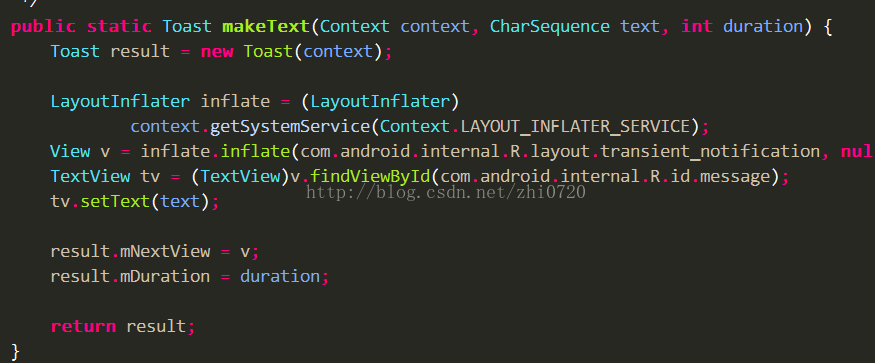
1
2
3
4
5
6
7
8
9
10
11
12
13
14
15
16
17
18
19
20
21
22
23
24
25
26
27
28
29
30
31
32
33
34
35
36
37
38
39
40
41
42
43
44
45
46
47
48
49
| public class ToastManager {
private static ToastManager manager;
private Context context;
private Toast toast;
public ToastManager() {
init();
}
public static ToastManager getManager() {
if (manager == null)
synchronized (ToastManager.class) {
if (manager == null)
manager = new ToastManager();
}
}
return manager;
}
private void init() {
context = AppApplication.getInstance();
toast = Toast.makeText(context, null, Toast.LENGTH_SHORT);
}
public void show(int resId) {
show(resId,Toast.LENGTH_SHORT);
}
public void show(String hint) {
show(hint,Toast.LENGTH_SHORT);
}
public void show(int resId, int duration) {
toast.setDuration(duration);
toast.setText(resId);
toast.show();
}
public void show(String hint, int duration) {
toast.setDuration(duration);
toast.setText(hint);
toast.show();
}
public void onDestroy() {
toast.cancel();
toast = null;
manager = null;
}
}
|